Crop before Loading Image
We sometimes want to load only a specific region of an image in memory.
Cropping after loading the entire image can be very slow and memory intensive.
Indeed, the larger the image, the longer it takes to load it into memory entirely.
The Image.from_pdf class method has a clip_pct parameter that just fixes that.
For example, given the following image:
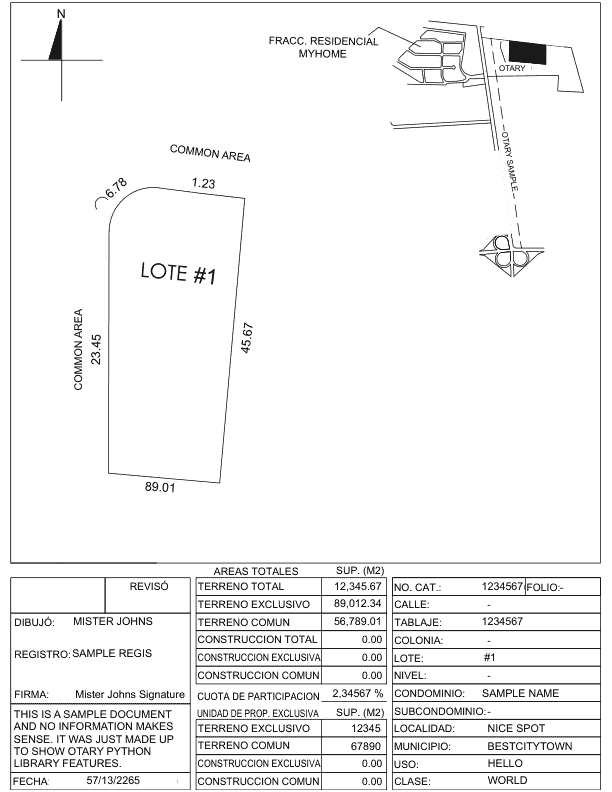
And the following piece of code:
| import otary as ot
# relative position of top-left / bottom-right points defining cropped area
# can be obtained using AABB with absolute coordinates:
# aabb_pct = aabb / [im.shape_xy[1], im.shape_xy[0]]
aabb_pct = ot.AxisAlignedRectangle.from_topleft_bottomright(
topleft=[0.0625, 0.1821],
bottomright=[0.3541, 0.8472]
)
im = ot.Image.from_pdf(
filepath="../tests/data/vision/example2/sample-otary-img1.pdf",
as_grayscale=False,
page_nb=0,
resolution=1500,
clip_pct=aabb_pct
)
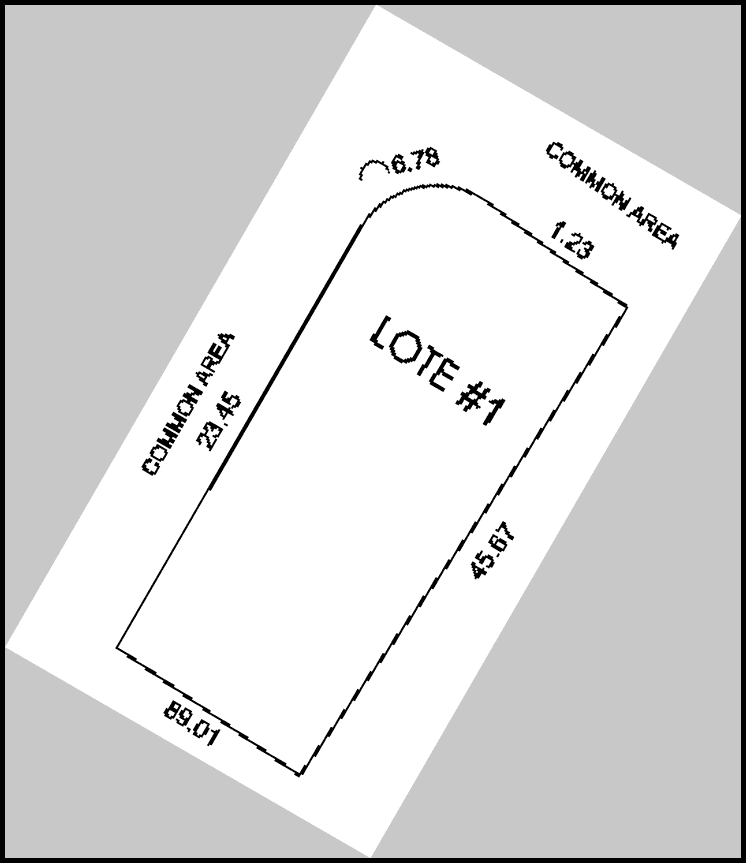
im.threshold_sauvola(k=0.1) \
.resize(factor=2, copy=True) \
.rotate(30, is_degree=True, is_clockwise=True, fill_value=200) \
.add_border(5, fill_value=0) \
.show()
|
Here is what it would produce: